GIANT4 IT Send a request
Manufacturing automation: the owner sees the shop floor and the numbers on a phone

For workshops, plants and warehouses that have outgrown Excel

Manufacturing automation. Know your costs today, not at month-end.

We build manufacturing software for your shop floor: raw material and output tracking, shift plans and machine load, timesheets and piecework, barcodes, scales and 1C integration. Everything now kept in notebooks and spreadsheets — in one system and on the owner’s phone.

Review my production

from $3,500excl. VAT, price fixed in the contract

Four areas where the shop floor runs on guesswork

This is what tracking looks like without software — and what it looks like when production tracking automation turns every event on the shop floor into a number on a screen.

A storekeeper writes a metal delivery into a notebook — raw material tracking before automation

Raw materials

The raw materials store runs on guesswork

The way it is nowMetal arrives by truck: the storekeeper copies the weight from the waybill into a notebook and records usage whenever he remembers. 1C shows 4.2 tons of sheet, the warehouse has 1.1. On Wednesday the laser stops: the 2 mm sheet has run out, and the buyer urgently purchases from whoever has it — at a higher price.

With Giant4 ITDeliveries are weighed on scales and recorded in the software automatically, and usage is written off by standards for each batch. Stock is visible in real time, and when only a couple of shifts’ worth of material is left, the buyer gets a reminder.

Example with demo data

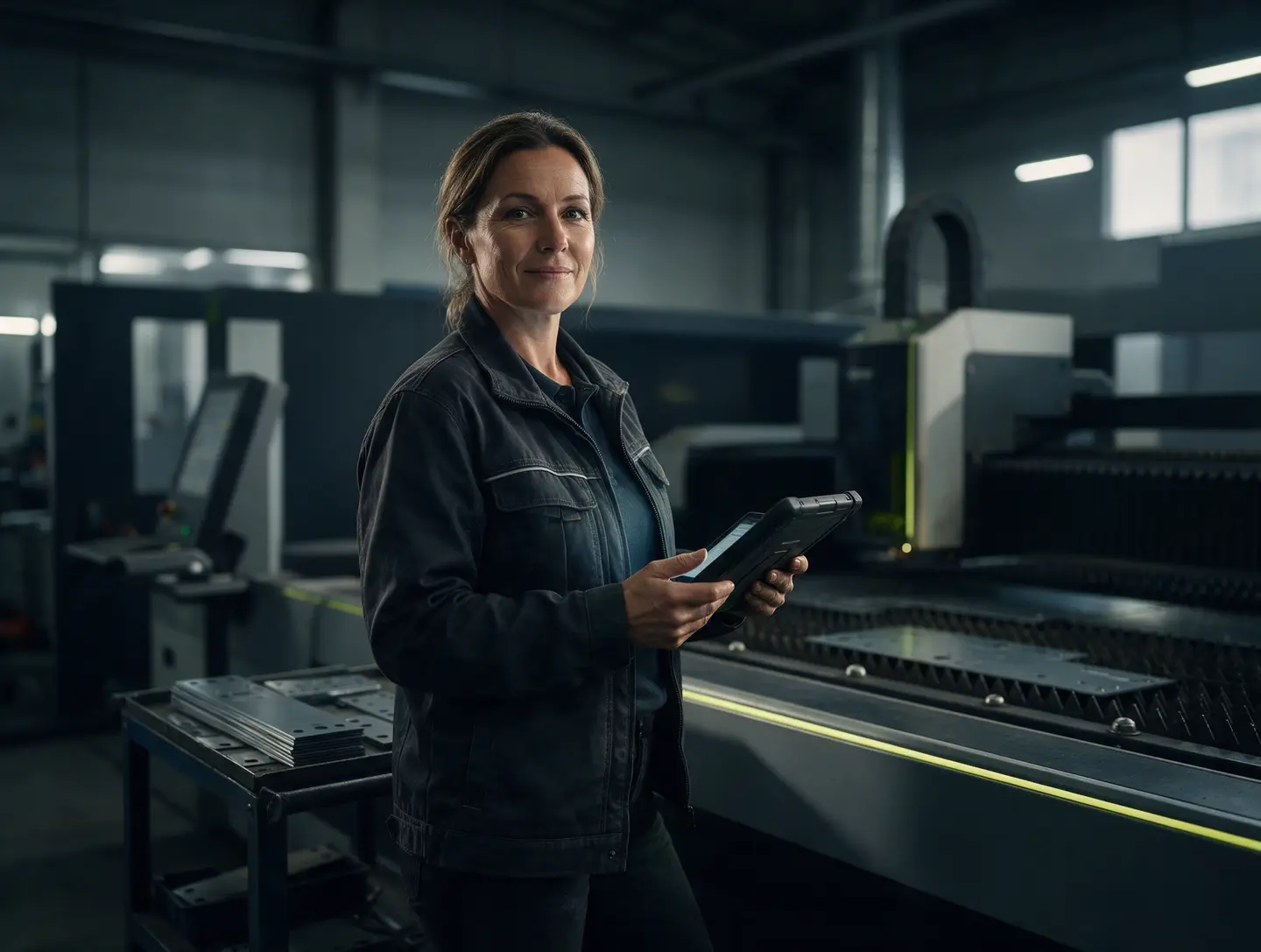
The shift foreman sees the plan and machine load on a tablet — production planning software

Planning

The plan lives on a whiteboard and in the foreman’s head

The way it is nowThe weekly plan is drawn on a whiteboard, and the foreman keeps the rest in his head. An urgent order comes in — the plan is reshuffled over the phone: the laser sits idle while welding has a three-day queue. The foreman goes on sick leave, and nobody knows what to start first.

With Giant4 ITOrders are laid out by machine and shift on one screen, so overloads and idle time are visible. Add an urgent order, and the software instantly shows what will shift and when everything will be ready. The plan opens on the foreman’s tablet and on the owner’s phone.

Example with demo data

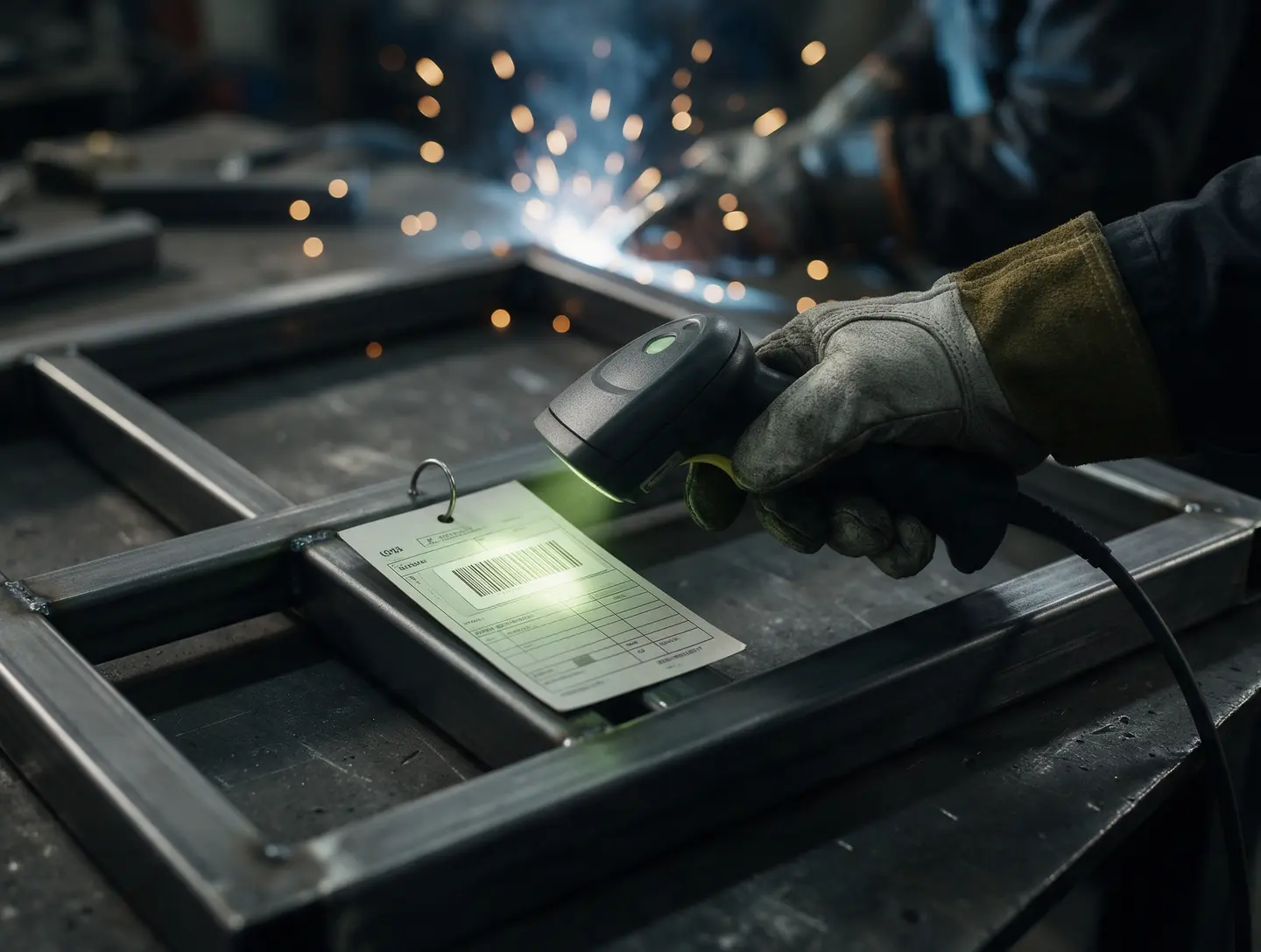
A worker scans a work order barcode — output tracking runs on its own

Piecework

Piecework pay: three evenings with a calculator

The way it is nowAt month-end the foreman spends three evenings transferring work orders from notebooks to Excel. The welder is sure he made 320 brackets, but the timesheet says 290. Arguments, resentment, the accountant recalculates, and wages are delayed.

With Giant4 ITA worker scans the work order barcode when taking a job and when handing it in. Timesheets, output and piece-rate pay add up on their own, and everyone sees their earnings for the day — nothing to argue about.

Example with demo data

The owner sees batch cost right away, not at month-end

Unit cost

Costs arrive on the 5th of next month

The way it is nowThe order ships and is forgotten. A month later the accountant closes the period, and it turns out that metal got pricier, defects ate another 6%, and the batch was sold at nearly break-even. You found out too late — three more orders have already been taken at the same price.

With Giant4 ITThe cost of every batch builds up as work progresses: actual raw materials, machine time, piece-rate pay, defects. If a batch goes over the standard, the owner knows immediately, and output and write-offs go to 1C on their own.

Example with demo data

When you find out what’s happening on the shop floor

Gap 35 days14 days3 days1 day1 hournow

35 days → now

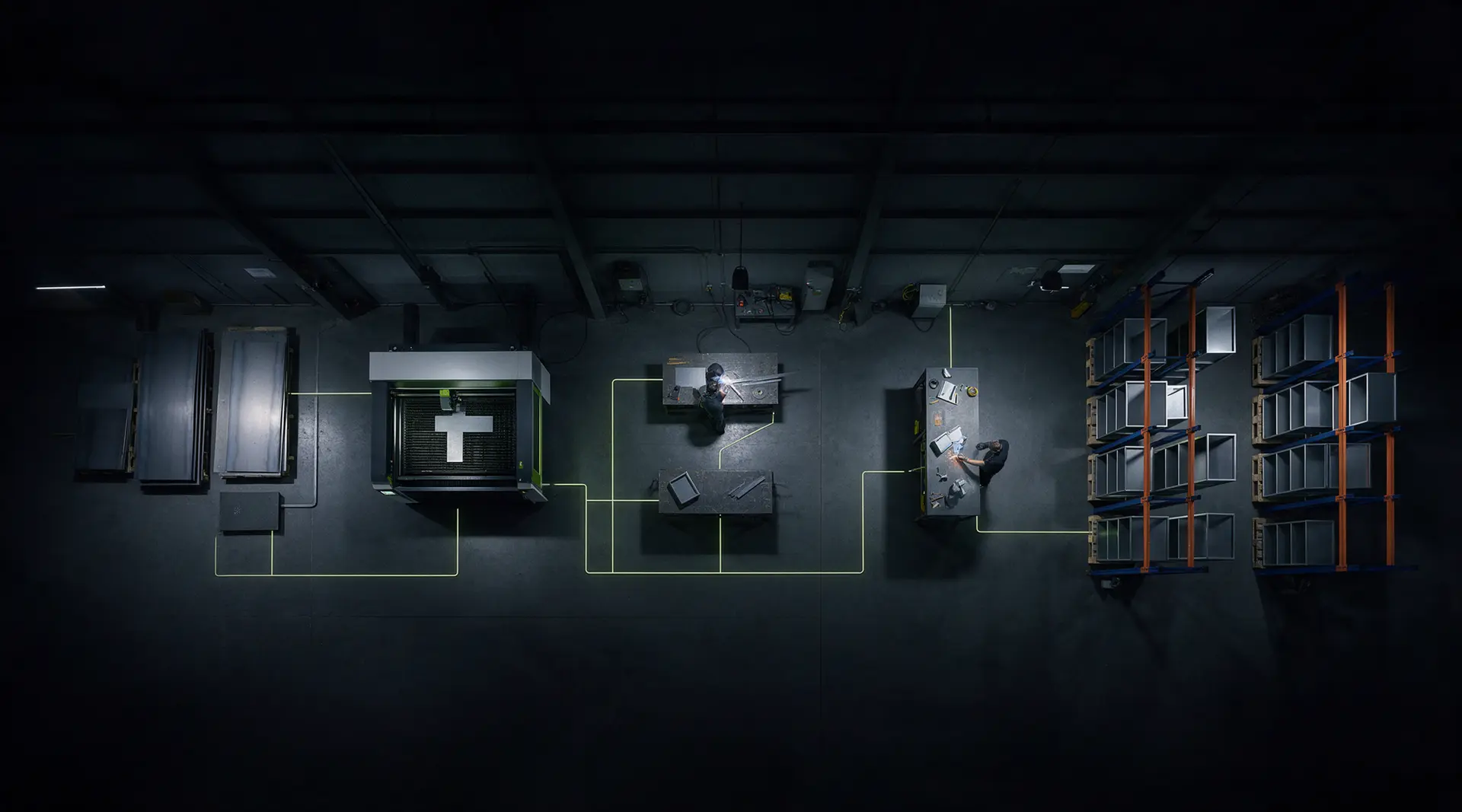
Shop floor layout: data from every area flows into the production tracking software
  • Raw materialsreceiving scale

    Storekeeper’s notebook

    +2,480 kg, 2 mm sheet

  • Laser cuttingplan and load

    Whiteboard

    load 92%

  • Weldingwork orders and piecework

    Timesheet on the wall

    14 units per shift

  • QCQC and defects

    Defect log

    defects: 2 pcs

  • Finished goods warehouseoutput and stock

    Cost_TOTAL_v7_final.xlsx

    rack S-200: 40 pcs in stock

Shop floor · nowowner’s phone

  • Materials2 mm sheet: +2,480 kg
  • Laserload 92%
  • Welding14 units per shift
  • QCdefects: 2 pcs
  • WarehouseS-200: 40 pcs

The shop summary appears once all areas are connected

Shift plan86%

Cost of batch P-0417$54.10/pc

Materialsfor 2.5 shifts

Right now everything is on paper: what happened on the shop floor on October 1 you’ll learn on November 5, when the accountant closes the period.

Raw materials. Deliveries are weighed and recorded in the software automatically; usage is written off by standards.

Laser cutting. Orders are laid out by machine and shift, and the load is visible on the foreman’s tablet.

Welding. The worker scans the work order — output and piecework add up on their own.

QC. Defects are logged right away with a reason, not “it just happened.”

Finished goods warehouse. Output is received by barcode and goes to 1C on its own.

Your shop at a glance. Not at month-end, but now.

Review my production

Example with demo data

What manufacturing automation gives you

Not “yet another program,” but a shop floor you can see: how much raw material there is, what’s in progress, who made how much and what a batch cost.

Shop floor boardall areas connected

  • Cost of every batch right away, not at month-end
  • Real-time raw material stock and purchase reminders
  • Shift plan and machine load on one screen
  • Timesheets, output and piecework calculated automatically
  • Barcodes and scales instead of manual entry
  • Defects and downtime with reasons, not “it just happened”
  • Output and write-offs go to 1C on their own
  • Shop floor summary on the owner’s phone
  • The software is yours: code and data under contract

What the production tracking software includes

We develop production tracking software that brings together in one system everything now scattered across notebooks, the foreman’s whiteboard and spreadsheets — from raw material receipt to finished goods shipment. Costs, output and stock are visible in real time, not when the accountant closes the month.

  • Raw material and supplies tracking

    Receipt by scale and scanner, write-off by consumption standards for each batch. You see how much material is in stock, how much has gone into production and how many shifts the remaining stock will last.

  • Output and batch tracking

    For each batch you see what was made, from which materials, by whom and on which machine, how much went to defects and why. Any finished product can be traced back to raw material receipt.

  • Production and shift planning

    Orders by machine, area and shift on a single chart: overloads and idle time are visible at once. Add an urgent order, and the software recalculates the deadlines for the rest.

  • Timesheets, output and piecework

    Timesheets and output are compiled from work orders, and piece-rate pay is calculated by your rates and rules: bonuses, coefficients, defects. The accountant gets ready numbers, not the foreman’s notebooks.

  • Barcodes and labels

    Label printing for raw materials, semi-finished goods, finished products and storage locations. A scanner instead of manual entry — fewer errors and faster work in the warehouse and on the shop floor.

  • Scales, machines and terminals

    We connect scales, scanners, data collection terminals and label printers. Machines too — if they can output operating data; if not, the foreman records output on a tablet in a couple of taps.

  • Costing and owner summary

    Planned and actual cost of every batch: you see which cost item went over the standard and by how much. The owner gets a short summary on the phone: output, load, stock and problem areas.

  • 1C integration

    Production output, raw material write-offs, stock and payroll data go to 1C automatically. Accounting works as usual, with no manual transfer of numbers from the shop floor.

Who needs production tracking automation

In many plants, tracking still lives in notebooks and Excel. The storekeeper writes down raw material deliveries by hand, the shift plan is drawn in marker on a whiteboard, the foreman tallies output at month-end, and the owner learns the batch cost when the accountant closes the period. By then the raw material has already run out at the wrong time, a machine has stood idle and an order has gone out at nearly break-even — and it’s too late to fix.

Production tracking automation removes this blind spot. We build software for your process instead of forcing your shop into someone else’s box: the storekeeper weighs and scans, the foreman sees the plan on a tablet, the worker marks the work order with a barcode, and the owner opens their phone and sees stock, load and costs right now. 1C stays with accounting — output, write-offs and payroll data flow into it on their own. It works for small manufacturers too: we start with the one area that hurts the most.

  • Small and mid-sized manufacturers that track raw materials, output and shifts in notebooks and Excel.
  • Piecework shops — furniture, metalworking, garment, food — where output is counted by hand at month-end.
  • Manufacturers that have 1C, but the shop floor never touches it and data is entered after the fact.
  • Owners who want to see costs, stock and shop load on their phone instead of waiting for the accountant’s report.
  • Businesses for which an off-the-shelf system didn’t work: too complex, too expensive or not suited to their process.

How turnkey manufacturing automation works

Project routing cardProduct: software for your shop floor

  1. 010Production reviewWe walk the path from raw material receipt to shipment: who records what, where data gets lost, what equipment you already have and what is kept in 1C. We look at your spreadsheets, forms and work orders and talk to the foremen.Accepted
  2. 020Tracking design and estimateWe describe in plain language which data is collected where and what screens the storekeeper, foreman, worker and owner will have. We calculate a full estimate with timelines and fix the price in the contract.Accepted
  3. 030First areaWe start with the most painful spot — the raw materials store, timesheets or shift plan. Along the way we show interim versions so you can see the software in action and make changes before launch.Accepted
  4. 040Equipment and 1CWe connect scales, scanners and label printers, set up the 1C integration and migrate directories, standards and stock. We test everything on a copy of the 1C database and only then connect the live one.Accepted
  5. 050Training and launchWe train foremen and storekeepers, switch the software on in the area and watch every shift ourselves for the first few days. We fix anything inconvenient right away, before people go back to their notebooks.Accepted
  6. 060Growth and supportWe connect the next areas, roles and reports, and take the software on for support under contract: updates, improvements, new machines and warehouses.Accepted

What we have already built for ourselves

The Giant4 group of companies works every day in its own CRM, which we wrote ourselves: messenger leads in one window, inventory, tasks, KPIs and payroll. Our 1C-Bitrix online store gets stock from 1C automatically every few minutes, and our own shipping module calculates CDEK and Russian Post costs and delivery times on its own.

A tracking system that pulls data from different places into one window and calculates payroll and stock on its own — we’ve already built that for ourselves. Now we build it for your shop floor.

Giant4 IT is a studio within the Giant4 group: lighting, our own online stores giant4.ru and giant4.ae, sales on Wildberries and Ozon. In IT since 2022.

  • We already track inventory, KPIs and payroll in-house

    The Giant4 group of companies works every day in its own CRM, which we wrote ourselves: inventory, tasks, KPIs and payroll. We know from our own team how to build a system people actually use instead of working around it.

  • 1C integration is our daily work

    Our 1C-Bitrix online store gets stock from 1C automatically every few minutes. We know the pitfalls of the integration from our own business, not from a textbook.

  • We run a business too

    The Giant4 group sells lighting through its own stores, giant4.ru and giant4.ae, and on Wildberries and Ozon. We look at software through an owner’s eyes: what it costs, what it delivers and who will work in it.

  • Your software, fixed price

    “From $3,500” is a guide price for a typical project, excl. VAT. We fix the exact cost in the contract and hand the code and access over to you; international clients are invoiced by Giant4 FZ-LLC (UAE).

How much manufacturing software costs

from $3,500

Review my production

The price depends on the number of areas and roles (warehouse, shop floor, QC, foreman, owner), on equipment — scales, scanners, data collection terminals, label printers, machines — on your 1C configuration and the integration with it, on the piecework pay scheme and the set of reports. You can start with one area and connect the rest one by one.

Prices exclude VAT. We confirm the exact cost and timeline after a short call and fix them in the contract.

International clients are invoiced by Giant4 FZ-LLC (UAE).

Frequently asked questions

How much does manufacturing software cost?

From $3,500 excl. VAT for a typical project. The total depends on the number of areas and roles, equipment (scales, scanners, machines), 1C integration, the piecework pay scheme and reports. We name the exact price after a short call and fix it in the contract.

How long does manufacturing automation take?

It depends on the number of areas, the equipment and the 1C integration, so we set the dates for each stage in the estimate and write them into the contract. We launch in stages: first the most painful area — the raw materials store, timesheets or shift plan — then the rest. The benefits show after the first area, not at the end of the whole project.

Why custom software when there are off-the-shelf MES systems and 1C:ERP?

Off-the-shelf systems are designed for standard processes, and the shop often has to restructure its work around them and pay for features nobody uses. Custom software mirrors your process: screens for the storekeeper, foreman and worker, your standards and your piecework rules. If you already have 1C, it stays — the software exchanges data with it.

Can the production tracking software be integrated with 1C?

Yes. Production output, raw material write-offs, stock and payroll data go to 1C automatically, and items and counterparties can be pulled from it. We work with 1C:Trade Management, 1C:Small Business Management (UNF), 1C:Accounting and 1C:ERP, including customized versions, without breaking the standard configuration or its updates.

What equipment can be connected: scales, scanners, machines?

Scales with data output, barcode scanners and data collection terminals, label printers, tablets and monitors on the shop floor. We connect machines if they can output operating data — we check this by model at the start. Where a connection isn’t possible, the foreman records output on a tablet in a couple of taps.

How do you roll out production tracking software so workers actually use it?

We design screens for each role: workers get large buttons and a barcode scanner instead of a keyboard, foremen get the plan and work orders, the owner gets a summary. We train foremen and storekeepers, leave short instructions, and for the first days after launch we monitor the work ourselves and fix anything inconvenient right away.

Can the software be installed on our own server?

Yes. The software can be deployed on your server — then all the data stays with you. We hand over the code, access and documentation under the contract. If the internet connection on the shop floor is weak, we discuss it at the start and plan for it in the project.


Ready to switch
to the new way?

Ask the AI assistant — by text or by voice. It answers right away, and when you’re ready it hands the conversation to a manager. The consultation is free.

An experienced team at Giant4 IT studio. Working since 2022.

Giant4 IT AI assistantonline

Replies come from AI. By sending a message, you accept the privacy policy.