

GIANT4 IT Send a request
1C integration with website and CRM: the owner calmly reviews the data, and everything adds up

For wholesalers, manufacturers and online stores that run on 1C

1C integration with your website and CRM. Stop re-entering orders by hand.

We connect 1C with your website, online store and CRM: products, stock, prices, orders, payments and invoices flow on their own, both ways. One version of the truth in every system — and not a single order retyped by hand.

Review my 1C sync

from $900excl. VAT, exact price in the contract

Why integrate 1C with your website and CRM

1C holds your warehouse, prices and documents. The website holds orders. The CRM holds clients and deals. As long as these systems aren’t connected, a manager acts as the bridge: retyping orders, exporting the price list to Excel, reconciling stock and asking accounting whether a payment has arrived. Mistakes are inevitable: you sell what you don’t have, ship at an old price, lose an order somewhere between email and 1C.

1C integration with your website and CRM removes this manual work. Products, stock and prices go from 1C to the website automatically, orders and payments come back to 1C, and statuses are visible in every system at once. We work this way ourselves: the Giant4 group’s 1C-Bitrix online store gets stock and prices from 1C every few minutes.

  • Websiteorders
  • by hand
  • 1Cstock, prices, documents
  • by hand
  • CRMclients and deals

1C sync with website and CRM

The website says one thing, 1C another. Let’s zip them up.

One version of the truth on the website, in the CRM and in 1C.

Example with demo data: strip stock, profile price, a website order, a deal payment and a client record on the website, in the CRM and in 1C don’t match at first. Once the sync is set up, all five pairs match: stock and prices go from 1C to the website, the website order lands in 1C, the payment in 1C updates the deal status in the CRM, and the duplicate client is merged by tax ID.

How 1C–website sync changes an ordinary workday

A manager retypes a website order into 1C by hand — before integration

The manager as a human bridge between the website and 1C

The way it is now

In the morning there are 14 website orders in the inbox. The manager retypes them into 1C one by one: customer, item, quantity, price. On the twelfth they mix up an SKU — the client receives a strip in the wrong color, and the manager spends the whole day on the return instead of selling.

With Giant4 IT

A website order appears in 1C on its own as a ready document — with the customer, items, prices and delivery, and the goods reserved right away. The manager checks and posts it instead of typing it all over again.
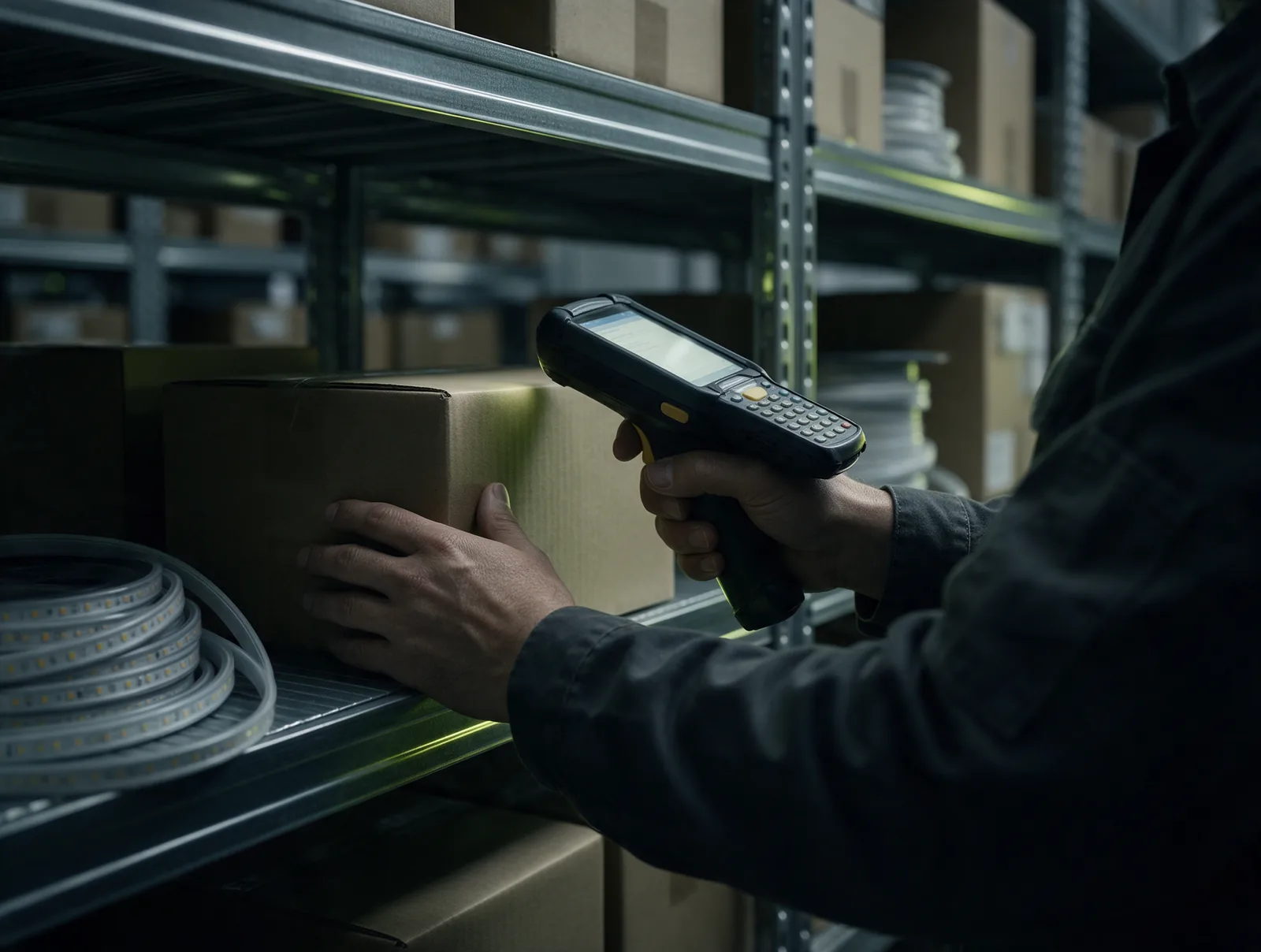

Warehouse stock matches the website: stock export from 1C to the website

The website price is stuck in last week

The way it is now

On Monday prices go up in 1C, but the website shows the old ones until Friday: someone has to export the price list to Excel and upload it by hand. A wholesale client orders at the old price, the manager makes an awkward “the price has changed” call — and the order is cancelled.

With Giant4 IT

Prices and stock go from 1C to the website automatically every few minutes — both retail and wholesale. Change a price in 1C, and shoppers already see the new one, while a wholesale client sees their own price after login.

The manager sees the payment from 1C in the CRM right away and calmly answers the client

“We’ve paid. Where’s our shipment?”

The way it is now

The client has paid the invoice and the money has reached 1C through the bank, but in the CRM the deal is still stuck at “Awaiting payment.” The manager doesn’t know, and the warehouse isn’t picking. Two days later the client calls the director.

With Giant4 IT

A payment received in 1C automatically updates the deal status in the CRM and the order on the website. The manager and the warehouse get a notification, and the customer sees “Paid, picking” in their account.

A 1C sync failure alert reaches the person in charge right away

The sync broke — and nobody noticed

The way it is now

The sync was set up long ago by a developer who has since left. After a 1C update the export silently stopped, and for a whole week the website showed old stock levels. You found out from customer complaints and cancelled orders.

With Giant4 IT

The sync is monitored: every export is logged, the person in charge gets an alert as soon as something fails, and the sync retries on its own. After 1C updates we check that everything works.

What the integration includes: from catalog to payments

  • 1C → website

    Product export from 1C to the website

    Items, SKUs, specs and product variants come from 1C on their own: a new item appears in the catalog with no manual work. The sync doesn’t overwrite descriptions and SEO texts written on the website.

  • 1C → website

    Stock and prices from 1C

    We export stock for each warehouse and all price types: retail, wholesale, bulk wholesale. Change a price in 1C, and a few minutes later it’s on the website.

  • website → 1C

    Website orders go straight to 1C

    The order lands in 1C as a ready document: customer, items, prices, delivery. The goods are reserved, and the manager checks and posts it instead of typing it in again.

  • both ways

    Payments, invoices and statuses

    The invoice for an order is generated in 1C, and incoming payments and shipments update the status on the website and in the CRM on their own. The customer sees what’s happening with the order without calling a manager.

  • 1C ⇄ CRM

    1C–CRM integration

    Bitrix24, amoCRM or Giant4 CRM: deals, customers, invoices, payments and shipments are synchronized. The manager sees stock and payment right in the deal card without opening 1C.

  • no duplicates

    One client, one record

    We match customers by tax ID, phone and email so one client isn’t created in 1C three times. We clean up the product and client directories at the start.

  • monitoring

    Sync log and failure monitoring

    Every export is logged. If the sync fails, the person in charge gets an alert right away and the sync retries on its own — a failure doesn’t go unnoticed for a week.

  • 1C updates

    No changes to standard 1C

    We work through the standard exchange and extensions without breaking the standard configuration. 1C updates as usual, and the sync keeps working after the update.

What changes after 1C integration

  • Website orders land in 1C on their own
  • Stock and prices from 1C reach the website within minutes
  • Wholesale prices and price types straight from 1C
  • Payments and statuses visible in both 1C and the CRM
  • Not a single order retyped by hand
  • One client, one record, no duplicates
  • The sync doesn’t overwrite website texts and SEO
  • Sync log and failure alerts
  • 1C updates, and the sync keeps working

How we set up 1C sync: six steps

You can launch in parts: stock and prices first, then orders, payments and the CRM integration.

  1. Review and sync map

    We look at your 1C configuration and version, website and CRM. Together we decide which data should flow, in which direction and how often, and which system is the master for each directory.

  2. Spec and estimate

    We write the sync rules into a clear technical specification, calculate a full estimate with timelines and fix the price in the contract.

  3. Setup on a copy

    We set up and fine-tune the sync on a copy of your 1C and a test website. Meanwhile your main database works as usual.

  4. First export and reconciliation

    We match products, customers and prices, remove duplicates and run test orders and payments back and forth until the numbers match.

  5. Launch and monitoring

    We switch the sync on for the live database and set up the log and failure alerts. For the first few days we watch every export ourselves.

  6. Ongoing support

    We take the sync on for support under contract: we check it after 1C and website updates and add new warehouses, price types and sync directions.

Why Giant4 IT: 1C sync runs in our own online store

The Giant4 group sells lighting in its own online stores, giant4.ru and giant4.ae, and on Wildberries and Ozon. Our store runs on 1C-Bitrix and exchanges data with 1C: stock and prices update automatically every few minutes, with no managers involved. And the whole group of companies works in our own CRM every day: messenger leads in one window, warehouse, tasks, KPIs and payroll. We set up the same integration for clients.

1C sync with website and CRM as a zipper: the data comes together in one line
  • 1C sync runs in our business every day

    We know the pitfalls of 1C–website sync from our own store, not from a textbook. That’s why we start with a sync map, not with a hit-or-miss export.

  • We sell ourselves

    We know from our own sales what it costs when the website says “in stock” but the shelf is empty, or when an order goes through at an old price.

  • We connect the whole chain

    We build websites, CRMs and 1C sync. No need to coordinate three contractors and figure out whose part broke.

  • Fixed contract price

    “From $900” is a guide price for a typical project, excl. VAT. We name the exact cost after a conversation and fix it in the contract; international clients are invoiced by Giant4 FZ-LLC (UAE).

How much 1C–website integration costs

from $900

The price depends on your 1C configuration and version (standard or customized), on what we connect — a 1C-Bitrix website or one on another platform, a CRM — on the data set (products, stock, prices, orders, payments, documents), the number of warehouses and price types, and the state of your directories.

Prices exclude VAT. We confirm the exact cost and timeline after a short call and fix them in the contract.

Frequently asked questions

How much does 1C integration with a website cost?

From $900 excl. VAT — a guide price for a typical project. The total depends on your 1C configuration, the website platform, the data set (only stock and prices, or also orders, payments and documents), the number of warehouses and price types, and whether a CRM integration is needed. We name the exact price after a short call and fix it in the contract.

How long does it take to set up 1C–website sync?

It depends on your 1C configuration, catalog size and number of sync directions, so we set the dates for each stage in the estimate and write them into the contract. You can launch in parts: stock and prices first, then orders, payments and the CRM integration.

What data can be synchronized between 1C and a website?

Products and specs, stock by warehouse, prices and price types (for example, separate prices for wholesale clients), orders, customers, invoices, payments and shipment statuses. For each data type we decide at the start whether it flows one way or both and which system is the master.

How often are stock and prices updated on the website from 1C?

Usually every few minutes — that’s how our own 1C-Bitrix online store works. We tune the frequency to the catalog size and the load on 1C. Website orders can be sent to 1C right after checkout.

Can 1C be integrated with Bitrix24 or amoCRM?

Yes. Deals, customers, invoices, payments and shipments are synchronized between the CRM and 1C, and the manager sees stock and payment right in the deal card. We connect 1C with Bitrix24, amoCRM and Giant4 CRM, our own system.

Which 1C configurations and website platforms do you work with?

Standard and customized configurations: 1C:Trade Management, 1C:Small Business Management (UNF), 1C:Accounting, 1C:ERP. We integrate 1C and Bitrix through the standard exchange, and connect websites on other platforms and custom-built ones via API. We choose the approach after reviewing your 1C and website.

Won’t the sync break after a 1C update?

We build the sync without changing the standard configuration — through standard mechanisms and extensions — so 1C updates as usual. Every export is logged, and if something fails, the person in charge gets an alert right away. Under a support contract we check the sync after every update.

Ready to switch
to the new way?

Ask the AI assistant — by text or by voice. It answers right away, and when you’re ready it hands the conversation to a manager. The consultation is free.

An experienced team at Giant4 IT studio. Working since 2022.

Giant4 IT AI assistantonline

Replies come from AI. By sending a message, you accept the privacy policy.